 By Alex Robinson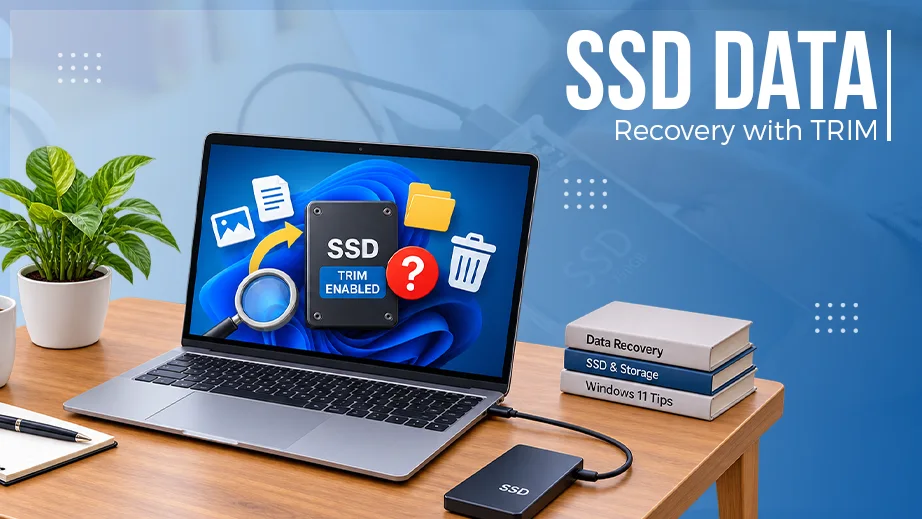
Solid-state drives have become one of the most common storage technologies in modern computers. SATA SSDs, M.2 SSDs, NVMe SSDs and mSATA SSDs are widely used in laptops, desktops, workstations and servers because they offer significantly faster performance than traditional mechanical hard disk drives.
However, SSD technology also creates a major challenge when important data is accidentally deleted.
One of the most important technologies behind this challenge is TRIM.
What Is TRIM in an SSD?
TRIM is a storage-management command that allows an operating system to inform an SSD which blocks of data are no longer considered necessary.
For example, when a user permanently deletes a file, the operating system may tell the SSD that the corresponding storage blocks are no longer required.
This is different from a traditional hard disk drive.
With many conventional HDDs, deleting a file generally removes or changes the file-system information while the underlying data may remain physically present on the disk until it is overwritten.
SSD architecture works differently.
Once TRIM and the SSD’s internal garbage-collection processes become involved, the original NAND pages containing deleted data may become unavailable or may eventually be erased or reorganized by the SSD controller.
Why TRIM Creates a Data Recovery Problem
A common misconception is that deleted data is immediately destroyed.
That is not necessarily what happens.
After deletion, several processes may occur:
File deletion → TRIM command → SSD controller processing → Garbage Collection → NAND block management
The exact behavior depends on the operating system, SSD controller, firmware, NAND technology and other factors.
When an SSD receives a TRIM command, the controller may mark certain NAND pages as no longer valid.
Later, the SSD’s garbage-collection system can reclaim those pages.
Once the original NAND information has been physically erased or transformed through internal SSD operations, conventional file-recovery software may no longer be able to reconstruct the deleted files.
This is one of the reasons why SSD data recovery can be considerably more difficult than HDD data recovery.
SATA SSD, M.2, NVMe and mSATA SSDs
TRIM-related data-loss problems are not limited to one particular physical SSD format.
They can occur with different types of solid-state storage, including:
– SATA SSD
– M.2 SATA SSD
– M.2 NVMe SSD
– NVMe SSD
– mSATA SSD
It is important to understand that M.2 is a physical form factor, while SATA and NVMe describe different storage interfaces/protocols.
Therefore, an M.2 SSD may use SATA or NVMe technology.
This distinction is important during professional data-recovery work because the recovery approach can vary significantly depending on the controller, NAND architecture, firmware and interface.
What Happens After a File Is Deleted?
Consider a simple example.
A user saves thousands of photos on an SSD and later accidentally deletes an important folder.
If the SSD is still operating normally, the operating system may send TRIM commands relating to the deleted blocks.
The SSD controller then manages those blocks internally.
At this stage, the situation is very different from simply having a deleted file whose contents are still sitting unchanged on a magnetic hard disk.
The SSD may continue performing background processes such as:
– Garbage collection
– Wear leveling
– Block management
– NAND page consolidation
– Internal data movement
These operations are largely controlled by the SSD firmware and controller.
The user normally has no direct visibility into these processes.
Does TRIM Mean Data Recovery Is Always Impossible?
No.
This is an important distinction.
TRIM can make recovery extremely difficult, but it does not mean that every deleted file from every TRIM-enabled SSD is automatically unrecoverable.
Recoverability can depend on many factors, including:
– Whether TRIM was actually issued
– The operating system
– SSD firmware
– SSD controller
– NAND flash type
– Garbage-collection activity
– How long the SSD remained powered
– Whether new data was written
– Whether the drive supports encryption
– The condition of the SSD
– The specific data-loss scenario
In some situations, remnants of deleted information may still be available.
In other situations, the SSD controller may have already made the original information inaccessible.
Therefore, a professional evaluation is necessary before making a final recovery assessment.
Why Continuing to Use the SSD Can Be Dangerous
If important files have been accidentally deleted from an SSD, continuing to use the computer can reduce the possibility of recovery.
The SSD may continue receiving TRIM commands and performing internal maintenance operations.
New writes can also occupy storage areas that were previously associated with deleted data.
For this reason, users should avoid unnecessary use of the affected SSD when the lost data is important.
Installing recovery software onto the same SSD is also generally not a good idea because the installation and other system activity can generate additional writes.
SSD Data Recovery Is Different From HDD Recovery
Traditional hard disk drives store data magnetically on rotating platters.
SSDs store information in NAND flash memory and use a controller to manage the relationship between logical addresses and physical NAND locations.
This creates an additional layer of complexity.
A simplified SSD architecture can be represented as:
Operating System → File System → SSD Interface → SSD Controller → Flash Translation Layer (FTL) → NAND Flash
The Flash Translation Layer (FTL) plays a particularly important role.
The logical block address presented to the computer does not necessarily correspond directly to a fixed physical NAND location.
The SSD controller continuously manages this mapping.
Consequently, recovering data from a failed or damaged SSD can require much more than scanning the storage media for recognizable files.
What About Physically Damaged SSDs?
A physically damaged SSD presents another category of recovery problem.
Potential failures can involve:
– SSD controller failure
– NAND flash problems
– PCB damage
– Firmware problems
– Power-related damage
– Communication failure
– Failed components
– Damaged connectors
In such situations, the drive may not appear correctly in the operating system or may not be detected at all.
A professional recovery laboratory may need to identify the controller and NAND architecture before determining whether a technically viable recovery approach exists.
NVMe SSD Data Recovery Can Be Especially Complex
NVMe SSDs are designed for high-speed communication through PCI Express.
Their architecture differs from traditional SATA storage, and modern NVMe SSDs may include sophisticated controllers, firmware, wear-leveling systems and hardware-based encryption.
As a result, a physically damaged or logically corrupted NVMe SSD can require specialized knowledge and equipment.
The fact that an NVMe SSD is not detected by a computer does not automatically mean that the data is permanently lost.
However, it also does not mean that recovery is guaranteed.
The actual condition of the controller, NAND flash and internal data structures must be evaluated.
What Should You Do After Accidental SSD Data Loss?
If important data has been deleted from an SSD, the safest immediate steps are:
1. Stop unnecessary use of the SSD.
2. Do not install recovery software onto the affected drive.
3. Do not format or initialize the SSD.
4. Avoid repeatedly restarting or testing the drive unnecessarily.
5. Do not copy new files to the affected storage device.
6. If the data is highly important, consult a professional data-recovery specialist before attempting advanced procedures.
The sooner the storage device is handled appropriately, the better the chance of preserving whatever recoverable information may still exist.
Professional SSD Data Recovery Assessment
There is no single recovery method that works for every SSD.
A SATA SSD, M.2 SATA SSD, NVMe SSD and mSATA SSD may require completely different approaches depending on their controller, firmware and NAND configuration.
For this reason, professional data recovery should begin with diagnosis and analysis, rather than immediately attempting a generic recovery procedure.
A qualified recovery specialist should first determine:
– What type of SSD is involved?
– Is the SSD detected?
– Is the controller communicating correctly?
– Was TRIM enabled and processed?
– Is the SSD encrypted?
– Is the NAND memory accessible?
– Is the problem logical, electronic, firmware-related or physical?
– Has garbage collection likely affected the deleted data?
– Is there a technically viable recovery path?
Only after these questions are considered can the recovery possibility be evaluated realistically.
Final Thoughts
TRIM is an important technology that helps SSDs maintain performance and manage unused storage blocks. However, the same technology can make deleted-data recovery substantially more difficult than recovery from many traditional hard disk drives.
The key point is simple:
Deleting a file from an SSD does not always mean that the data is immediately destroyed—but TRIM, garbage collection and SSD controller operations can cause deleted information to become permanently inaccessible.
If valuable data has been accidentally deleted from a SATA SSD, M.2 SSD, NVMe SSD or mSATA SSD, stop unnecessary activity on the device and seek professional assessment before attempting repeated recovery operations.
For complex SSD data-loss situations, professional diagnosis is often more appropriate than relying solely on ordinary file-recovery software.
About Data Recovery Center Bangladesh
Data Recovery Center Bangladesh provides professional data recovery services for a range of storage devices and data-loss situations, including advanced hard drive and SSD-related cases.
For more information about professional data recovery services in Bangladesh, visit:
 A Zadid